gookit
REST API v1 Product & inventory labels

Turn JSON into print-ready barcode label PDFs.

Add product and inventory label generation to any ERP, WMS, marketplace, or internal tool. Send data, choose a template, and get a PDF ready for the printer.

Eligible new accounts · 2,000 one-time production labels · First PDF in about five minutes

create-labels.sh
curl -X POST \
  https://prod-bcm-api.barcodeman.app/api/v1/print \
  -H "Authorization: Bearer $KEY" \
  -H "Content-Type: application/json" \
  -d '{
  "templateId": "PASTE_TEMPLATE_ID",
  "items": [
    {
      "quantity": 24,
      "data": {
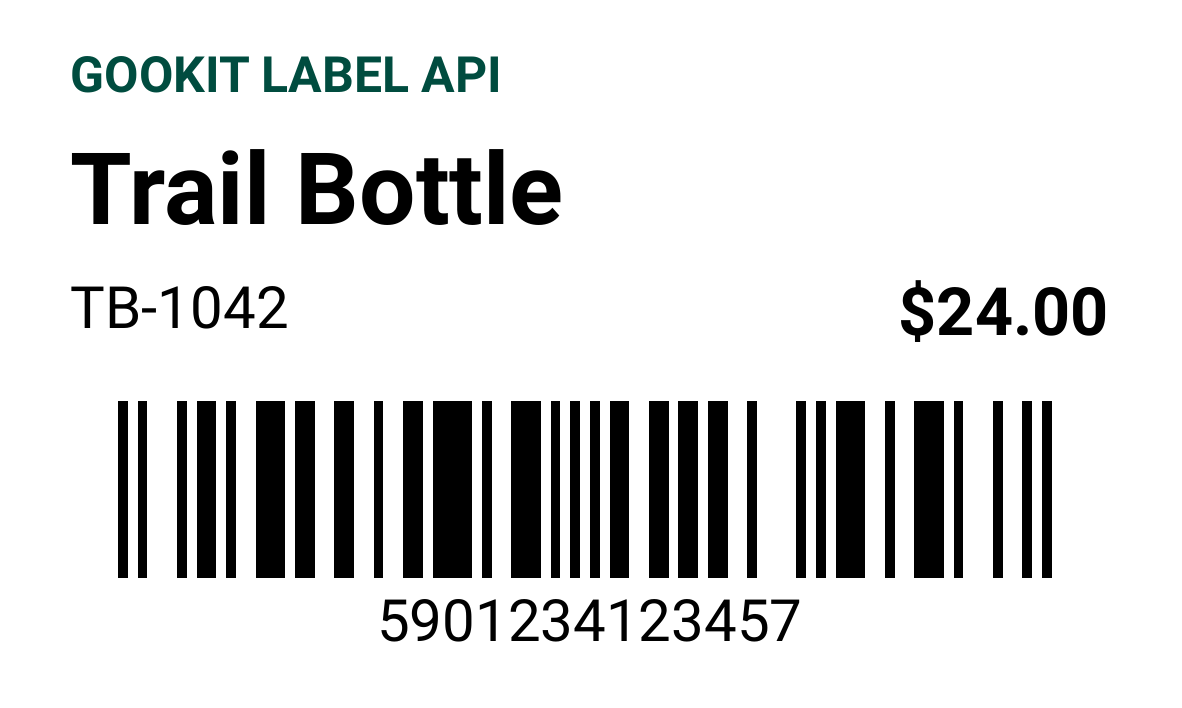
        "name": "Trail Bottle",
        "sku": "TB-1042",
        "price": "$24.00"
      }
    }
  ]
}'
202 Accepted 24 labels · PDF
JSON in
Your fields, your schema
PDF + PNG out
Print and preview
1,000 labels/job
Batch-ready output
Any PDF printer
No proprietary driver
Built for developers

Label infrastructure for the software you are already building.

BarcodeMan focuses on product and inventory labels—not postage, carrier rates, or shipping documents.

ERP & WMS

Generate labels inside receiving workflows

Send item, lot, bin, price, or supplier data from the system your team already uses. Get one print-ready PDF back.

Internal tools

Add label output without building a renderer

Keep your application focused on its core workflow. BarcodeMan handles layout, barcode rendering, pagination, and output.

Marketplaces & SaaS

Give every customer their own label workflow

Use reusable templates and arbitrary JSON fields to generate branded product and inventory labels for every account.

Reusable by design

Create the template once. Reuse it everywhere.

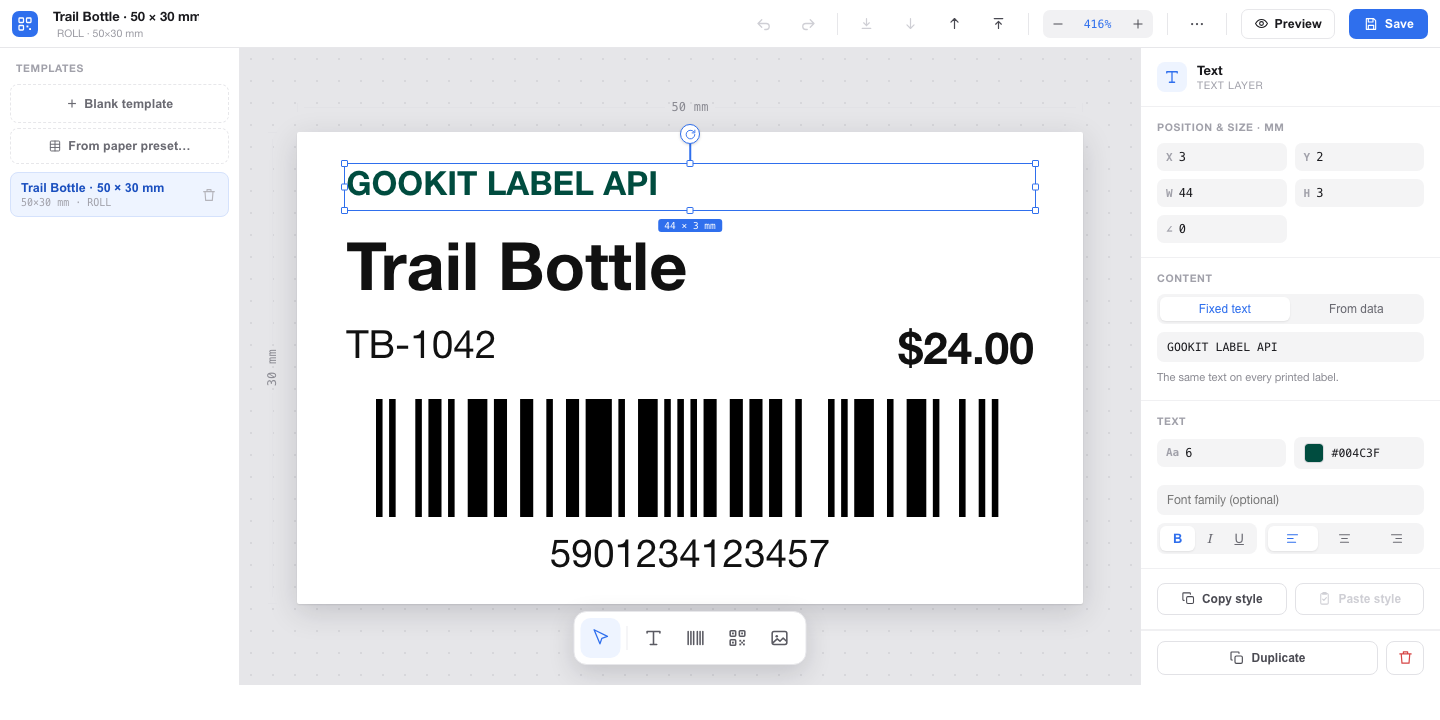
Start from the paper preset catalog and a designed layout in the visual editor, or create a template through the API. Save it once, then use its template ID for every print job.

Read the quickstart ↗
01
Choose the label stock

Start from the paper preset catalog or enter a custom label size.

02
Build and save the layout

Use the visual editor or template API, then copy the returned template ID.

03
Reuse it in print jobs

Send the templateId with any product or inventory JSON payload.

The label engine

The hard parts of label output, behind one API.

01

Batch PDF output

Turn hundreds of rows and quantities into one correctly paginated, print-ready PDF.

02

Instant PNG previews

Render a single label synchronously for template previews and approval workflows.

03

Reusable templates

Create a layout once, save its template ID, and reuse it across every print job.

04

Visual template editor

Design reusable layouts in the browser, then bind elements to fields in your JSON payload.

05

Any product data

Add SKUs, prices, lot numbers, product images, QR codes, custom text, or your own fields.

06

Any PDF printer

Print with Zebra, Rollo, DYMO, Brother, office printers, or any workflow that accepts PDF.

From key to PDF

A production-shaped API with a five-minute quickstart.

  1. 01
    Create an account

    Eligible accounts receive 2,000 one-time Trial labels.

  2. 02
    Send JSON

    Use a saved templateId with your item data.

  3. 03
    Download PDF

    Print or pass it downstream.

API plan
$29/mo
After trial
  • ✓ Unlimited monthly label output
  • ✓ PDF and PNG rendering
  • ✓ Templates and visual editor
  • ✓ API key management
  • ✓ REST API and OpenAPI reference
Create a developer account ↗
API FAQ

Before you build

Is this a shipping label API?

No. BarcodeMan is for product and inventory labels: SKUs, prices, barcodes, QR codes, lot numbers, bin locations, and other data from your system. It does not buy postage or create carrier shipping labels.

Do I need Shopify or Wix?

No. The API is platform-agnostic. If your application can send an HTTPS request with JSON, it can generate labels with BarcodeMan.

Do I need to design a template before my first request?

Yes. Create and save a reusable template first, then send its templateId with each print request. The visual editor can start from a paper preset and a designed layout.

Which barcode formats are supported?

BarcodeMan supports common product and inventory formats including Code 128, Code 39, EAN-13, EAN-8, UPC-A, UPC-E, GS1-128, ISBN, and QR codes.

Which printers can I use?

The API returns standard PDF files, so it works with thermal printers such as Zebra, Rollo, DYMO, and Brother, as well as desktop and commercial printers.

Put a real label behind your next API call.

Eligible new accounts receive 2,000 production labels once.