
Troubleshooting
Barcode Not Showing on Label
Printed labels are missing the barcode. The two root causes are empty barcode data on the product, or a barcode format that doesn't match the data (e.g., EAN-13 expects 13 digits).
Verified
There are two reasons a barcode area renders blank on a printed label:
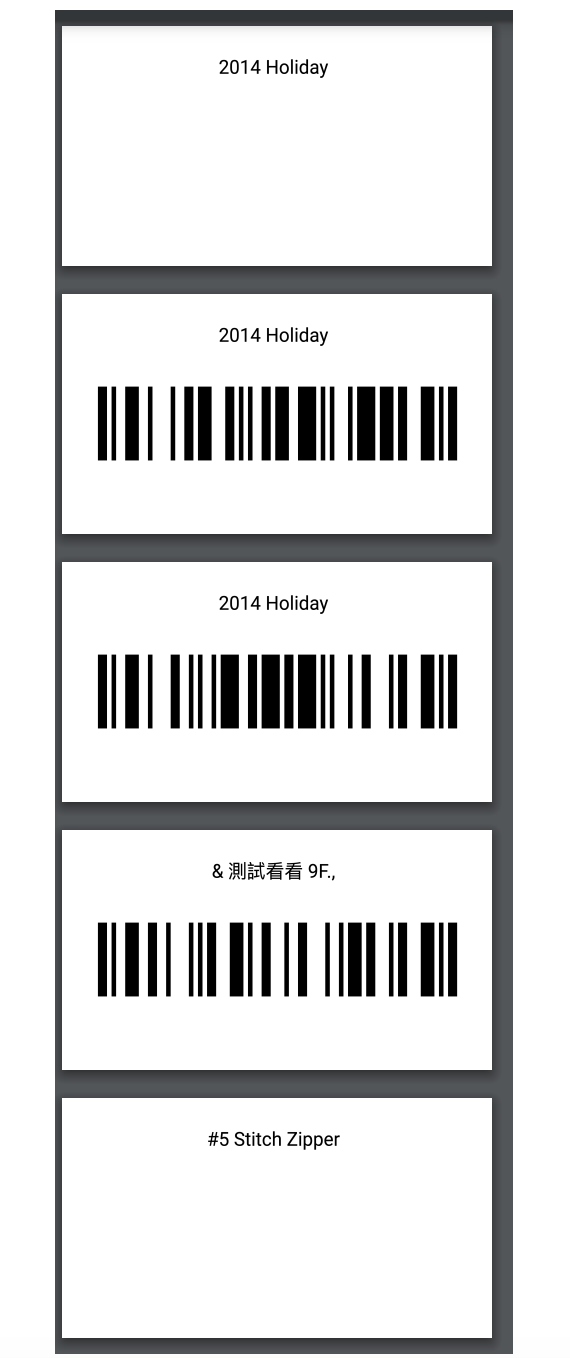
Cause 1: The product has no barcode value
If the product variant's Barcode field is empty, BarcodeMan has nothing to render — the barcode area stays blank.
Fix:
- Check the product variant in your store admin and confirm the Barcode field has a value.
- To fill missing values in bulk, use the SKU and Barcode Generator.
Cause 2: The barcode format doesn't match the data
Each barcode format expects a specific data shape. If your data doesn't fit, the barcode won't render.
| Format | Accepts | | -------- | ------------------------------------ | | EAN-13 | Exactly 13 digits | | UPC-A | Exactly 12 digits | | CODE128 | Almost anything (digits + letters) |
Fix:
- In the template editor, select the barcode element and check the format dropdown.
- Either change your data to match the format, or switch the format to CODE128 as a flexible fallback.
- See Barcode Format Guide for the full reference on each format.
Helpful? Email us — we read every message.
Send feedback →
Related reading