
Troubleshooting
Errors When Generating Labels
Common validation errors you may see when Barcodeman generates labels — EAN-13 length, UPC-E number system, ISBN formatting, AI prefixes — and how to fix them.
Verified
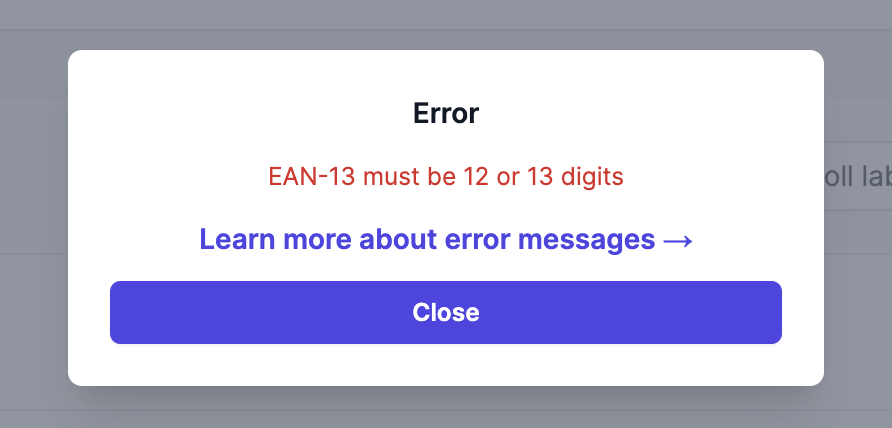
Common errors
- EAN13 must be 12 or 13 digits
- UPC-E must have number system 0 or 1
- Incorrect EAN-8 check digit provided
- ISBN-13 must be 15 or 17 characters including dashes. ISBN-10 must be 11 or 13 characters including dashes
- AIs must start with '('
Other errors
- Signals timeout or invalid JSON
To ensure performance, we have set a 30-second limit for generating labels. If you attempt to generate too many labels at once, causing the process to exceed 30 seconds, the server will forcibly terminate the operation. This timeout usually occurs due to large image sizes or an excessive number of labels being generated simultaneously. Please reduce the number of labels or use smaller image sizes. - Unexpected end of JSON input
The server is experiencing issues. Please try again later.
Solution
These errors occur because the barcode values need to follow the barcode format requirements. We recommend using the Online Barcode Generator to check the accuracy of your barcode values.
The barcodes we create contain random numbers and are not EAN-13 codes and can only be used in CODE_128 format. Hence, when you use the barcode values from our assigned feature, please choose CODE-128 as your barcode format.
Helpful? Email us — we read every message.
Send feedback →