
Troubleshooting
Zebra Printer Orientation Issues
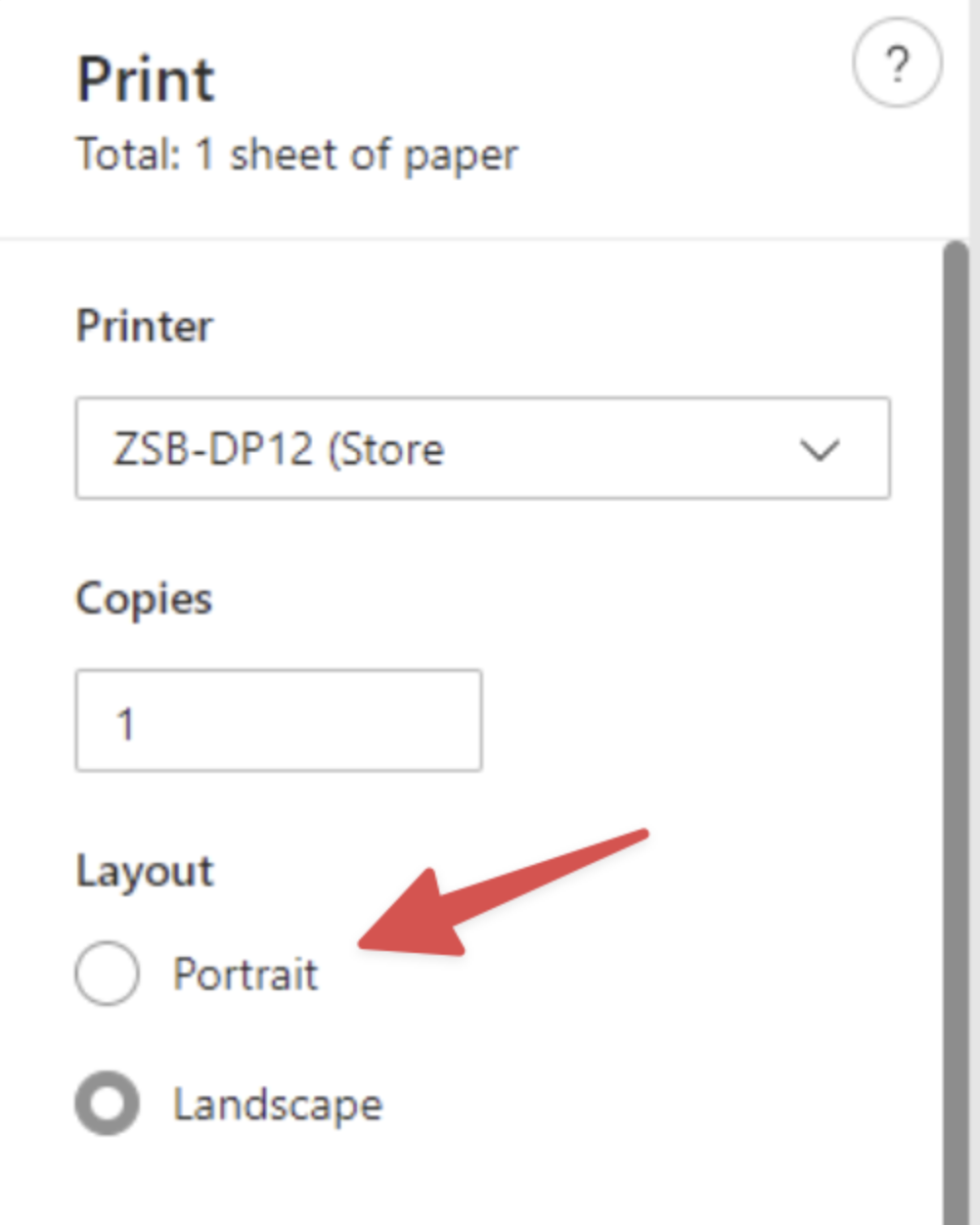
Zebra printers sometimes may rotate the printing result even if you specify the option to Portrait as in the image below. Hence, you need to go to printer…
Verified
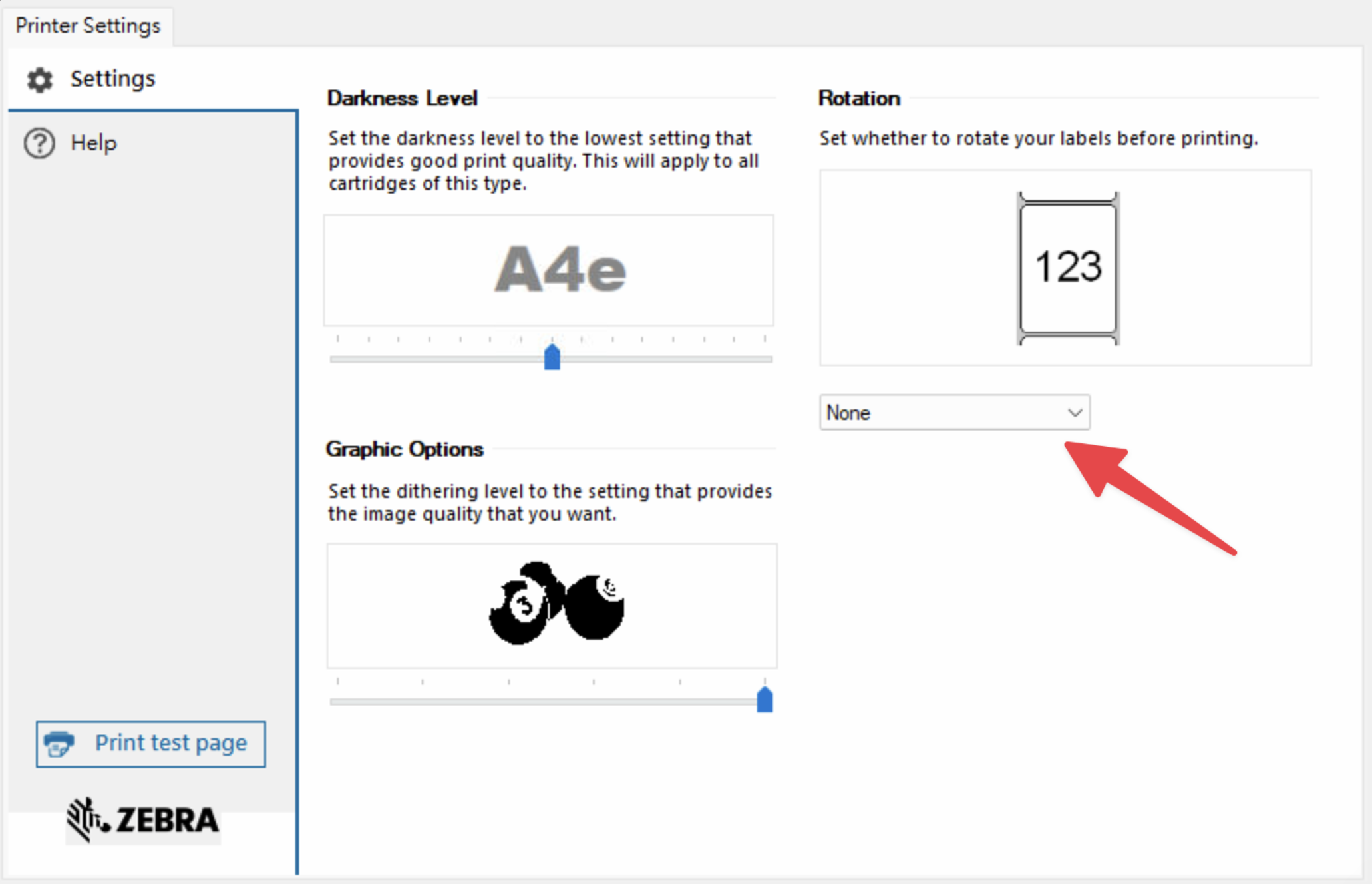
Zebra printers sometimes may rotate the printing result even if you specify the option to Portrait as in the image below. Hence, you need to go to printer settings to check if there are any extra settings like the second image.
Once you set None like the image below, it forces the printer not to rotate the paper, resulting in a better output.
Helpful? Email us — we read every message.
Send feedback →